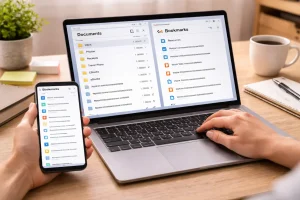
In the modern digital world, our online environments are just as important as our physical ones. A cluttered desktop, an overflowing inbox, and a disorganized file system may seem like minor inconveniences, but they can quietly reduce productivity and increase stress.
Many people experience what can be described as digital overload—a situation where the constant flow of files, emails, notifications, and applications becomes overwhelming.
A few years ago, my own digital environment had reached that point. Temporary files filled my desktop, hundreds of random documents filled my downloads folder, and unread messages constantly flooded my email inbox. I tried fixing the problem by performing occasional “deep clean” sessions, but those usually took hours, and the results rarely lasted.
Eventually, I realized the problem wasn’t the clutter itself—it was my approach to managing it.
Instead of attempting large cleanups once every few months, I created a simple 20-minute digital declutter routine that I perform every weekend. This short routine helps me keep my computer organized, reduce distractions, and start the week with a clean digital workspace.
If your devices often feel messy or overwhelming, this weekly routine can help restore order in a manageable way.
Why a Weekly Digital Declutter Works Better Than Occasional Cleanups
Technology has dramatically increased the amount of digital information we create and consume. Between downloads, screenshots, emails, and app notifications, new data appears on our devices every day.
When you postpone organizing this information for weeks or months, the number of files and messages can quickly become overwhelming.
A weekly routine solves this problem because it limits the amount of clutter you need to manage at one time.
Instead of sorting through thousands of items, you only deal with the digital residue created during the previous seven days. This makes the process faster and easier to maintain.
A weekly declutter also helps establish a habit. Once the process becomes routine, maintaining an organized digital environment requires very little effort.
Phase 1: Clean the Desktop and Downloads Folder (5 Minutes)
The desktop and downloads folder are often the most visible sources of digital clutter.
Many people temporarily place files on the desktop or download documents for quick access but forget to move them later. Over time, these locations become crowded with random items.
To prevent this, I start my routine with a quick five-minute sweep.
The 10-Second Decision Rule
For each file on the desktop, I ask a simple question:
Does this file belong somewhere specific?
If the answer is yes, I immediately move it to its correct folder.
If the answer is no, I consider whether the file will be needed within the next couple of days. If it has no clear purpose, I delete it.
This quick decision process ensures that the desktop remains a temporary workspace rather than a permanent storage area.
Clearing the Downloads Folder
The downloads folder often accumulates installation files, temporary documents, and duplicate items.
During the weekly declutter, I quickly review downloaded files and take three simple actions:
- Delete installation files that are no longer needed
- Move important documents to their proper folders
- Remove unnecessary files
Starting the new week with an empty downloads folder can significantly reduce clutter.
Phase 2: Organize and Reduce Email Clutter (5 Minutes)
Email is another major source of digital overload. Newsletters, promotional messages, automated notifications, and work communication can quickly fill an inbox.
While some people aim to reach “Inbox Zero” every day, that approach can sometimes disrupt productivity.
Instead, I perform a short weekly email triage session.
The Unsubscribe Habit
During this step, I scan through recent emails and identify newsletters or promotional messages that I rarely read.
Rather than simply deleting them, I unsubscribe from the mailing list.
Most modern email services provide a convenient unsubscribe option near the top of promotional messages.
Spending just a few minutes unsubscribing from unnecessary emails can significantly reduce the number of incoming messages over time.
Simple Email Categories
Instead of leaving hundreds of messages in the main inbox, I organize them using three simple labels:
Action Required
Messages that require a task or response.
Awaiting Reply
Emails where I am waiting for a response from someone else.
Reference
Information that may be useful later but does not require immediate attention.
Everything else is archived. This system keeps the inbox manageable and ensures that important messages remain visible.
Phase 3: Review Mobile Apps and Notifications (5 Minutes)
Many people focus on organizing their computers but forget that smartphones can accumulate just as much clutter.
Unused apps, excessive notifications, and background processes can slow down devices and create unnecessary distractions.
During the third phase of my routine, I spend five minutes reviewing my smartphone.
Removing Unused Applications
Some apps are downloaded for temporary situations, such as travel bookings, event tickets, or one-time purchases.
After their purpose has been served, they often remain installed even though they are rarely used again.
Each weekend, I scroll through my app list and remove applications that I did not use during the past week or that no longer serve a purpose.
This helps improve device performance and reduces background activity.
Managing Notifications
Notifications can easily interrupt focus throughout the day.
During the declutter routine, I review which apps sent unnecessary alerts during the week. If a notification is not essential, I disable it through the phone’s notification settings.
This ensures that only important alerts remain active.
Phase 4: Check Software Updates and System Health (5 Minutes)
The final phase focuses on the health and security of the device itself.
Modern software applications frequently release updates to fix bugs, improve performance, and address security vulnerabilities.
Instead of waiting for updates to appear at inconvenient times, I manually check for them during my weekend routine.
Updating Essential Software
The most important updates usually include:
- Operating system updates
- Web browser updates
- Security or antivirus updates
- Productivity software updates
Keeping software updated helps maintain both performance and security.
Performing a System Restart
At the end of the routine, I perform a full system restart.
Restarting the computer clears temporary memory, refreshes running processes, and ensures that updates are applied correctly.
Although simple, this step can improve system stability and responsiveness.
The Productivity Benefits of a Clean Digital Environment
After following this routine consistently for several months, I noticed several improvements in my daily workflow.
First, locating files became significantly faster because everything was stored in the correct location.
Second, my email inbox became easier to manage because unnecessary subscriptions were removed.
Finally, reducing notifications helped improve focus during work hours.
While the routine itself only takes about twenty minutes each weekend, the time saved during the week is far greater.
Building Long-Term Digital Organization Habits
Maintaining a clean digital workspace does not require complicated systems or expensive tools.
The most important factor is consistency.
By dedicating a short amount of time each week to organization and maintenance, it becomes much easier to keep digital environments under control.
Just like cleaning a physical workspace regularly prevents large messes from forming, a small weekly routine prevents digital clutter from building up.
Conclusion
In today’s technology-driven world, digital organization plays a key role in productivity and focus. Cluttered desktops, crowded inboxes, and excessive notifications can gradually reduce efficiency without us realizing it.
A simple weekly declutter routine offers a practical solution.
By spending just twenty minutes reviewing files, emails, apps, and updates, you can maintain a cleaner digital environment and reduce unnecessary distractions.
The goal is not perfection, but consistency. Small actions performed regularly can lead to long-term improvements in both digital organization and daily productivity.
If your devices currently feel overwhelming, consider trying a short weekend declutter routine. Over time, you may find that a cleaner digital workspace makes your entire workweek feel more manageable.
Frequently Asked Questions
1. How often should I declutter my digital devices?
A weekly routine is usually ideal. Spending 15–20 minutes each weekend helps prevent clutter from building up and keeps your files and emails manageable.
2. Why is digital decluttering important?
Digital clutter can slow down devices, make files harder to locate, and create unnecessary distractions. Regular organization improves productivity and helps maintain a smoother workflow.
3. What is the best way to keep a desktop organized?
The best approach is to treat the desktop as a temporary workspace. Move important files into dedicated folders and delete unnecessary items regularly.
4. How can I reduce email clutter?
Unsubscribing from unwanted newsletters, archiving completed messages, and using simple labels or folders can significantly reduce inbox clutter.
5. Does deleting unused apps improve phone performance?
Yes. Removing unused applications can free up storage space, reduce background activity, and sometimes improve battery life and device speed.