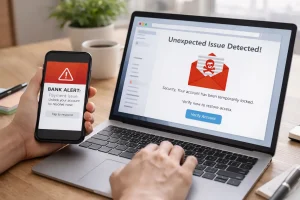
In today’s digital world, information is at our fingertips, but not all of it is reliable. Early in my internet journey, I often believed whatever I read on websites. From health tips to tech tutorials, I assumed online content was accurate. But after encountering misleading articles and fake websites, I realized I needed a method to evaluate online information before trusting it. Over time, I developed habits and strategies that allow me to quickly understand a website’s credibility, and today, I want to share these practical steps with you so you can browse with confidence and avoid misinformation.
My Early Mistakes With Online Information
When I first started exploring online resources, I often trusted websites based on appearance alone. A clean design or professional-looking images gave me a false sense of security. I remember following a fitness guide that promised rapid results. The website looked polished, had testimonials, and even offered free downloads. I followed the advice blindly, only to realize the information was misleading and potentially harmful.
This experience was frustrating but also educational. It taught me that online credibility cannot be judged by looks alone. I needed to approach every website critically and develop a systematic way to evaluate information before acting on it.
Checking the Website’s Domain and URL
The first thing I learned is that the website address itself can reveal a lot. A trustworthy website usually has a domain that aligns with the brand, organization, or purpose it claims. For instance, reputable news organizations often use .com or .org domains.
Practical tips I use:
- Look for familiar domain names: For example,
www.wikipedia.orgis a reliable source. - Avoid misspellings or extra words: Scammers often create fake domains like
www.wikipedai.com. - Be cautious with uncommon extensions: Domains like
.xyzor.infoaren’t inherently unsafe, but they require extra verification.
This simple habit helps me filter out suspicious sites before even reading the content.
Understanding the Website’s Purpose
Every website has a purpose, whether it’s to inform, entertain, or sell a product. Understanding why a site exists is crucial to evaluating its credibility. Early on, I realized that some websites are designed primarily to attract clicks or sell products, not to provide accurate information.
Steps I take to understand purpose:
- Check the “About” page: Most legitimate sites clearly explain their mission and values.
- Identify potential bias: A website selling a product may exaggerate benefits.
- Assess the content type: Informational blogs, official government pages, and educational institutions generally offer more reliable information than random blogs or forums.
Recognizing the website’s goal helps me interpret its information with the right level of skepticism.
Reviewing the Author and Their Expertise
One of the most important lessons I learned was to check who wrote the content. Websites that provide author information, credentials, or expertise are more trustworthy.
For example, when I was reading a health article, I noticed it was written by a certified nutritionist with references to medical studies. That gave me confidence in the advice. Conversely, articles without authorship or credentials make me cautious.
Tips for evaluating authors:
- Look for professional titles or certifications.
- Check other articles written by the author to assess consistency and expertise.
- Search for the author online to verify their background.
Knowing the source of the information adds an extra layer of trust.
Checking References and Sources
Reliable websites often back their claims with references. When I started paying attention to sources, I noticed a big difference between trustworthy and questionable websites.
How I check sources:
- Look for citations: Credible sites reference studies, official statistics, or recognized publications.
- Verify the source: I sometimes click on references to confirm the original data.
- Evaluate the age of the information: Recent data is generally more accurate, especially for technology and health topics.
For instance, a tech tutorial I once followed was outdated by two years. Cross-checking the source helped me avoid applying obsolete instructions that could have caused problems.
Reading the Website Critically
I developed the habit of reading every website with a critical mindset. Instead of accepting information at face value, I ask questions:
- Does this make sense logically?
- Are there exaggerations or unrealistic promises?
- Could the content be biased or influenced by commercial interests?
Critical reading has helped me avoid falling for sensational headlines or clickbait articles. By questioning information actively, I learned to separate facts from opinions or marketing tactics.
Using External Verification Tools
Even with careful observation, mistakes can happen. That’s why I combine my habits with online verification tools.
Tools I regularly use:
- Google Fact Check: Quickly confirms the accuracy of news or claims.
- Snopes: Helps identify rumors, myths, or hoaxes.
- WHOIS Lookup: Provides information about domain ownership, useful for verifying unfamiliar websites.
These tools provide additional confidence, ensuring that the websites I rely on are credible and safe.
Observing Website Design and Content Quality
Another aspect I pay attention to is content quality. Poorly designed websites with broken links, spelling mistakes, or excessive pop-ups are often red flags. While a professional appearance doesn’t guarantee accuracy, low-quality design often correlates with unreliable content.
I also read multiple articles on the same topic. If one website provides information vastly different from others, I investigate further before accepting it as true. This practice helps me avoid misinformation that could have consequences, especially for health, finance, or technical decisions.
Evaluating User Reviews and Feedback
Many websites include user reviews or comments, which I consider carefully. While reviews can be manipulated, they often reveal trends. I compare multiple reviews across different platforms to detect patterns.
For example, I once considered buying a gadget from a new online store. The website featured glowing reviews, but when I checked social media and independent review sites, multiple users reported delays and non-delivery. This insight helped me avoid a potential loss.
Avoiding Instant Trust Based on Appearance Alone
Early in my experience, I often trusted websites because they looked professional or popular. Over time, I learned that appearances can be deceiving. Even sophisticated websites can present false or misleading information.
The habit I adopted was simple: no matter how polished a site looks, I always cross-check information, check authorship, and verify sources. This extra step may take a few minutes but has saved me from countless mistakes and wasted time.
Practicing Consistent Digital Skepticism
The key to understanding website information is consistency. I apply these evaluation steps to every website I visit, whether for research, shopping, or casual reading. Over time, this practice developed into digital skepticism—a mindset that balances trust with verification.
By consistently questioning, verifying, and cross-referencing online content, I avoid misinformation and make informed decisions based on credible sources.
Real-Life Examples of Improved Awareness
Several experiences reinforced these habits:
- Health Advice: I avoided a fad diet website that lacked credible sources, instead following verified nutrition studies.
- Tech Tutorials: I cross-checked coding instructions and avoided errors that could have affected my projects.
- Shopping Online: Evaluating user feedback prevented me from falling for discounted scams.
Each instance confirmed that taking the time to understand a website before trusting it pays off in safety, accuracy, and confidence.
Conclusion: Why Understanding Online Information Matters
Understanding website information before trusting it is essential in today’s digital age. By evaluating domains, checking authorship, reviewing references, critically reading content, and using verification tools, I developed a reliable method to separate credible websites from misleading ones.
This approach not only protects personal data and financial information but also ensures that decisions and actions taken based on online content are informed and accurate. Developing consistent habits and practicing digital skepticism has transformed my online experience, and it can do the same for anyone who wants to browse safely and intelligently.
FAQs
Q1: How can I quickly check if a website is trustworthy?
Look at the domain, HTTPS, author credentials, references, and user reviews. Combined, these factors indicate reliability.
Q2: Should I trust popular websites automatically?
Not always. Even popular websites can contain outdated or biased information. Verify sources and check credibility.
Q3: How do I verify author expertise?
Check credentials, professional titles, other published work, and online profiles to confirm authority on the topic.
Q4: Are verification tools necessary?
Yes, tools like Snopes, Google Fact Check, and WHOIS lookup complement critical reading and provide extra assurance.
Q5: What is the most important habit for understanding website information?
Consistently pausing to evaluate, question, and verify content before trusting it is the key habit for internet awareness.