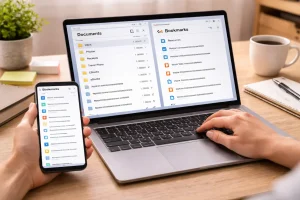
For a long time, my digital notes were where outstanding ideas went to die.
I had thousands of notes scattered across multiple apps. Some were titled things like
- “Meeting Notes”
- “Idea 1”
- “Random Thoughts”
- “Notes—March”
At the time, writing things down felt productive. However, retrieving ideas later proved to be a daunting task.
If I wanted to find a specific marketing strategy or creative idea from six months ago, I had to scroll through hundreds of notes. Most of the time, I simply gave up.
Eventually I realized something important:
The problem wasn’t my memory. The problem was my system.
In 2026, we live in a constant state of information overload. Between articles, videos, meetings, AI tools, and research, we collect massive amounts of information every day.
Without a structure, your notes quickly become digital clutter.
To fix this, I built a simple but powerful system called the Digital Brain Framework. It’s a three-tier system designed to help you capture, organize, and retrieve ideas quickly.
This system completely changed how I use my notes.
Here is exactly how it works.
The Philosophy Behind the System: Active Recall
Before changing apps or folders, I had to change my mindset.
Most people treat note-taking apps like digital storage boxes. They save information and forget about it.
But a note is only useful if you can find and use it later.
Instead of asking:
“Where should I save this note?”
I started asking a better question:
“When will I need this information again?”
This shift in thinking focuses on retrieval instead of storage.
This philosophy is called active recall.
Your notes should be structured in a way that makes it easy for your future selves to quickly locate the exact information you need.
Once I adopted this mindset, organizing my notes became much easier.
Tier 1: The Capture Phase (The Universal Inbox)
The biggest mistake I used to make was trying to organize notes while writing them.
This slows down your thinking and kills creative momentum.
To fix this, I created a Universal Inbox.
How the Inbox Works
Every new idea goes into one folder:
00_Inbox
It doesn’t matter whether the note is about:
- work
- personal ideas
- business strategies
- random thoughts
- research
- reminders
Everything goes into the inbox first.
No categories.
No tags.
No formatting.
Just capture the idea quickly.
Why This Works
Having a single capture location eliminates what I call “Note Anxiety.”
Instead of worrying about where a note belongs, I simply write it down.
Later, I organize it during a scheduled review session.
The Inbox acts as a temporary holding area, not a permanent storage location.
Tier 2: The Processing System (PARA Method Hybrid)
Once a week, usually on Sunday morning, I process everything inside the inbox.
During this session, I move notes into a structure inspired by the PARA system:
- Projects
- Areas
- Resources
- Archives
However, I simplified the structure to make it easier to maintain long term.
Projects: Active Work With Deadlines
Projects contain notes related to tasks that have a clear goal and deadline.
Examples include:
- building a website
- writing a report
- planning a trip
- launching a product
Each project gets its folder.
Once the project is completed, the entire folder is moved into Archives.
This keeps the active workspace clean and focused.
Areas: Long-Term Responsibilities
Areas are parts of your life that require ongoing management.
Unlike projects, these do not have a specific end date.
Examples include:
- Health
- Finance
- Career
- Personal development
- Marketing
Inside these folders, I keep things like:
- goal planning
- routines
- strategy notes
- long-term planning documents
Areas help maintain consistency across different life responsibilities.
Resources: Your Personal Knowledge Library
The Resources folder is where I store useful knowledge and reference material.
Think of it as your personal digital encyclopedia.
Examples include notes about:
- SEO strategies
- marketing tactics
- productivity methods
- recipes
- book summaries
- research articles
The key rule here is simple:
Organize by topic, not by date.
When information is grouped by topic, it becomes easier to locate later.
Archives: Completed or Historical Notes
When a project is finished, I move it into the Archive folder.
Nothing gets deleted unless it’s completely useless.
Storage is cheap, but past insights can be incredibly valuable.
Sometimes I revisit old projects and rediscover ideas that are useful again.
Archives allow you to keep your digital history without cluttering your active workspace.
Tier 3: Search-Optimized Note Titles
Even with a good folder system, notes become hard to find if they have vague titles.
This is why I use a metadata-style title structure.
My formula looks like this:
Category | Topic | Key Action or Insight
Example
Bad title:
Meeting Notes March 10
Better title:
Work | SEO Strategy | Improve Internal Linking Structure
Why this works:
When searching for notes later, I don’t need to remember the date.
I simply search for keywords like
- SEO
- Strategy
- Marketing
The note appears instantly.
Clear titles dramatically reduce the time spent searching through notes.
The Atomic Note Technique
Another important improvement was adopting the Atomic Note Method.
Instead of writing long, complex notes covering many ideas, I create small notes that focus on one idea only.
Example:
One note about Keyword Research
Another note about Content Optimization
Another note about Link Building
Modern note apps allow these notes to be linked together.
By connecting related notes, you create a network of knowledge, not just a list of documents.
This approach makes ideas easier to understand and expand.
Monthly Maintenance: The Pruning Habit
A good note system requires occasional maintenance.
Once a month, I spend about 15 minutes pruning my notes.
During this session I do three things.
Consolidate Notes
If I have several short notes on the same topic, I merge them into a single comprehensive note.
This improves clarity.
Delete Temporary Notes
Some notes are only useful for a short time.
Examples include:
- grocery lists
- temporary reminders
- short messages
Once they are no longer needed, I delete them.
Update Titles
If a project changes direction, I update note titles to reflect the new focus.
This keeps the search system accurate.
Tools That Make the System Faster
Although the system works in any note app, modern tools make it even easier.
Voice-to-Text Capture
Many apps now allow instant voice notes.
When an idea comes to mind while walking or driving, I record it quickly.
The app automatically converts speech into text and sends it to the Inbox.
Optical Character Recognition (OCR)
OCR allows apps to read text from images.
For example, if I photograph a page from a book or a whiteboard diagram, the text becomes searchable.
This makes it easier to store research materials.
Web Clipper Extensions
Browser web clippers allow you to save articles without ads or distractions.
Instead of bookmarking pages, I save the useful content directly into my Resources folder.
This builds a personal knowledge library over time.
Why a Note System Improves Creativity
Organizing notes doesn’t just improve productivity.
It also improves thinking clarity.
When your notes are messy, your brain wastes energy trying to remember where information is stored.
But when everything has a clear structure, your mind becomes free to focus on developing ideas instead of searching for them.
Your note system becomes a second brain.
Start Building Your Digital Brain Today
You don’t need to reorganize thousands of notes at once.
Start with these simple steps:
- Create a 00_Inbox folder
- Add four main folders: Projects, Areas, Resources, Archives
- Start capturing ideas in the Inbox
- Process them once per week
Within a few weeks, your note system will become far more organized.
In a world full of information noise, having a clear system for managing ideas gives you a huge advantage.
Your notes should support your thinking—not bury it under clutter.
Frequently Asked Questions
What is the best note-taking app for this system?
The Digital Brain Framework works with most note apps, including Notion, Evernote, Obsidian, and OneNote. The best choice depends on your personal workflow and device preferences.
How often should I organize my notes?
A weekly review session is ideal. This ensures the inbox does not become cluttered and helps maintain a clear structure.
What should I do with old notes?
You can move old notes into the Archives folder. There is usually no need to delete them unless they are completely irrelevant.
Why are note titles so important?
Clear titles improve searchability. When you include keywords and actions in the title, it becomes much easier to find notes later.
Can this system work for students?
Yes. Students can use the system to organize lecture notes, research materials, study plans, and exam preparation documents efficiently.