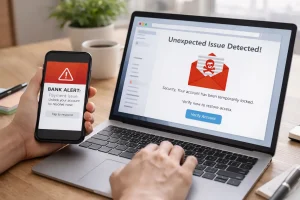
The internet is an incredible tool, but it comes with risks. Early in my online journey, I faced issues like phishing attempts, malware, and misleading information. I realized that casual browsing could be dangerous if I didn’t adopt a structured routine for staying safe online. Over time, I developed a personal internet safety routine that allows me to enjoy the benefits of the web while protecting my data, privacy, and mental well-being. In this article, I’ll share my approach, practical steps, and personal experiences so you can browse safely and confidently.
Understanding the Importance of Internet Safety
The first step in my routine was recognizing why internet safety matters. Every click, download, and shared piece of information carries potential risks. From identity theft to malware attacks, the consequences of unsafe browsing can be serious. Understanding the stakes motivated me to be proactive rather than reactive.
Digital awareness isn’t just about avoiding threats—it’s also about making informed choices, protecting personal data, and maintaining control over your online experience.
Starting with Strong Password Practices
Passwords are the first line of defense in my internet safety routine. Early on, I used simple and repeated passwords across multiple accounts, which was a huge mistake. After reading about several data breaches, I changed my approach completely.
My password habits include:
- Using unique passwords for each account.
- Creating strong passwords with a mix of letters, numbers, and symbols.
- Using a password manager to store and generate secure credentials.
- Enabling two-factor authentication wherever possible.
For example, when my email provider offered two-factor authentication, I enabled it immediately. It added an extra step, but it drastically increased security.
Keeping Software and Devices Updated
Regular updates are essential for protecting against security vulnerabilities. Initially, I ignored update notifications, thinking they were inconvenient. That changed when I learned how outdated software can be exploited by hackers.
My routine for updates:
- Enable automatic updates for operating systems, browsers, and apps.
- Check for firmware updates on devices like routers and smartphones.
- Regularly review installed software to remove anything unnecessary or outdated.
By maintaining updated systems, I reduce the risk of malware infections and data breaches significantly.
Using Secure Browsing Practices
Safe browsing is a cornerstone of my routine. I learned that not all websites are equally trustworthy, and a few simple practices make a big difference.
Key steps I follow:
- Look for HTTPS in the URL before entering personal information.
- Avoid suspicious links and pop-ups.
- Verify unfamiliar websites with online reputation tools or reviews.
- Limit sharing personal information on unfamiliar sites.
For instance, I once visited a website offering free software downloads. Because I checked the domain and reviews, I realized it was a potential malware site and avoided it.
Protecting Personal Data and Privacy
The internet thrives on data, and protecting personal information is a critical part of my safety routine. I focus on controlling what I share and where I share it.
Practical habits include:
- Using separate emails for sensitive accounts and newsletters.
- Adjusting privacy settings on social media and apps.
- Avoiding unnecessary public sharing of personal details.
- Using a VPN on public Wi-Fi networks to encrypt internet traffic.
These steps have prevented potential privacy breaches and helped me maintain control over my online identity.
Recognizing Phishing and Scam Attempts
Phishing is one of the most common threats online. Early in my browsing experience, I almost fell for a scam email claiming to be from my bank. That close call made me vigilant.
How I detect phishing:
- Check sender email addresses carefully.
- Be skeptical of urgent requests for sensitive information.
- Hover over links to verify their true destination before clicking.
- Confirm messages through official channels if unsure.
Daily awareness and careful checking have saved me from potential account compromises multiple times.
Safe Use of Social Media Platforms
Social media is part of daily life, but it can expose users to scams, misinformation, and privacy risks. I developed a routine to use these platforms safely without compromising enjoyment.
My social media safety practices:
- Review friend requests and connections carefully.
- Limit what I post publicly.
- Verify news or viral content before sharing.
- Regularly update privacy and notification settings.
For example, I once saw a trending article claiming shocking news. Before sharing, I verified the story across trusted sources, avoiding the spread of misinformation.
Using Antivirus and Security Tools
I learned early that relying on common sense alone isn’t enough. Antivirus and security tools add another layer of protection.
My routine includes:
- Running a reputable antivirus software with regular scans.
- Using a firewall for network security.
- Installing ad blockers to reduce exposure to malicious ads.
- Regularly clearing cache and cookies to maintain privacy.
These steps have helped me avoid malware infections and phishing traps while browsing.
Practicing Mindful and Intentional Browsing
Internet safety isn’t just technical—it’s also about habits. I realized that mindless browsing increases exposure to risks. I developed the habit of intentional and mindful browsing.
My approach:
- Limit browsing to specific goals or learning objectives.
- Avoid clicking on random pop-ups or ads.
- Take breaks to avoid fatigue and distraction, which can lead to mistakes.
Mindful browsing keeps me focused, reduces exposure to risks, and improves productivity online.
Backing Up Data Regularly
Even with strong security, accidents can happen. Regular backups are part of my safety routine to protect important files.
Backup habits I follow:
- Schedule weekly backups to cloud storage or external drives.
- Encrypt sensitive files when possible.
- Periodically test backups to ensure data can be restored.
This practice saved me when my laptop experienced a sudden hardware failure. I was able to restore important documents without stress or loss.
Educating Myself Continuously About Online Threats
The digital landscape changes rapidly, so I make it a habit to stay informed. Daily practice includes reading about new threats, software updates, and online safety techniques.
How I stay updated:
- Follow security blogs and tech news websites.
- Participate in online forums discussing cybersecurity.
- Take short courses or tutorials on internet safety.
This continuous learning ensures my routine evolves with emerging risks, keeping me prepared and secure.
Real-Life Examples of How My Routine Helps
Several instances demonstrate the effectiveness of my routine:
- Email Scam Avoidance: I identified a phishing email pretending to be from a courier service, preventing potential fraud.
- Safe Downloads: By checking sites and using antivirus scans, I avoided malware while downloading software.
- Social Media Vigilance: Verifying news stories prevented me from sharing false information.
- Data Protection: Using backups and strong passwords ensured no loss during a device malfunction.
These examples show that consistent safety routines save time, prevent stress, and protect digital assets.
Conclusion: Consistency is Key for Internet Safety
Building a strong internet safety routine requires consistency and awareness. My approach—using strong passwords, safe browsing practices, secure tools, mindful habits, and continuous learning—has made online interactions safer, more productive, and more enjoyable. By adopting daily safety habits, anyone can protect personal data, avoid scams, and browse the internet confidently. Internet safety is not a one-time effort but a lifestyle that grows stronger with every intentional action.
FAQs
Q1: What is the most important part of internet safety?
Using strong, unique passwords and practicing safe browsing are foundational steps to protect your accounts and data.
Q2: How can I recognize phishing emails?
Look for suspicious sender addresses, urgent requests for personal info, and links that don’t match official websites.
Q3: Should I use a VPN all the time?
Using a VPN is especially important on public Wi-Fi to encrypt your connection, but it’s a good practice for maintaining privacy generally.
Q4: How often should I update software and devices?
Always install updates as soon as they’re available, or enable automatic updates to ensure protection against vulnerabilities.
Q5: Can internet safety habits really prevent malware and scams?
Yes. Consistent safe practices like verifying sources, using antivirus software, and mindful browsing greatly reduce risks online.